Students and interns
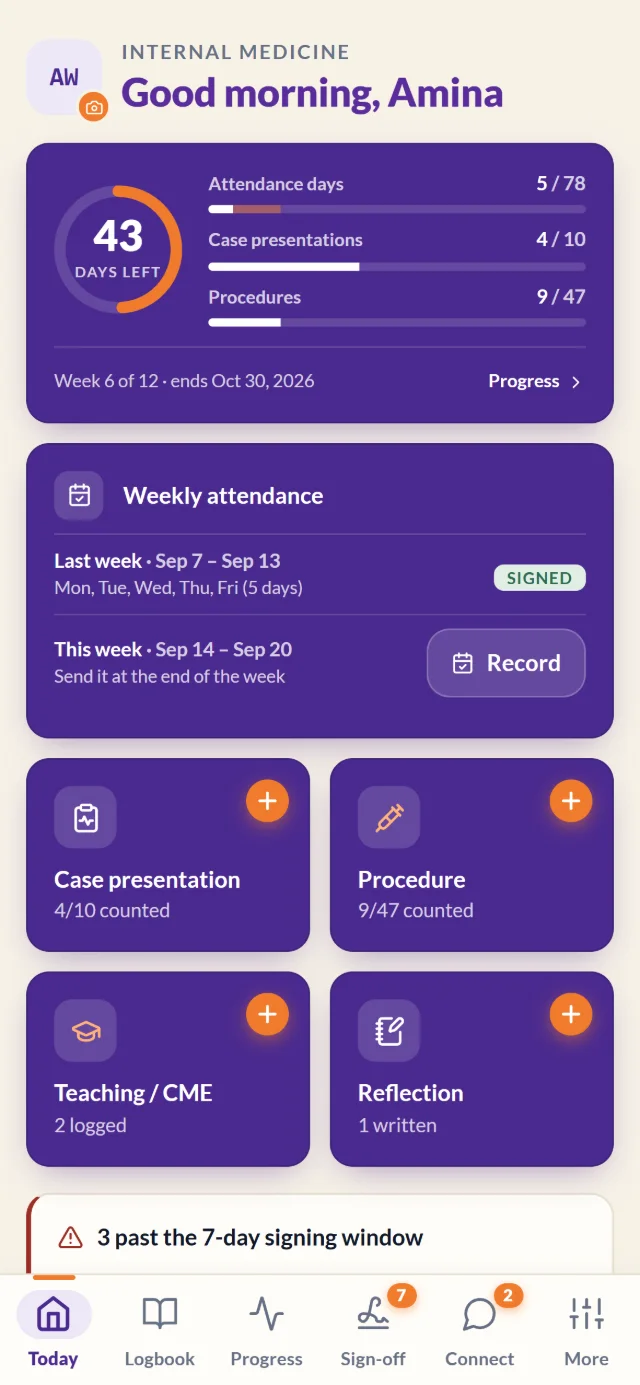
Keep your logbook up to date as you go, not the night before it's due.
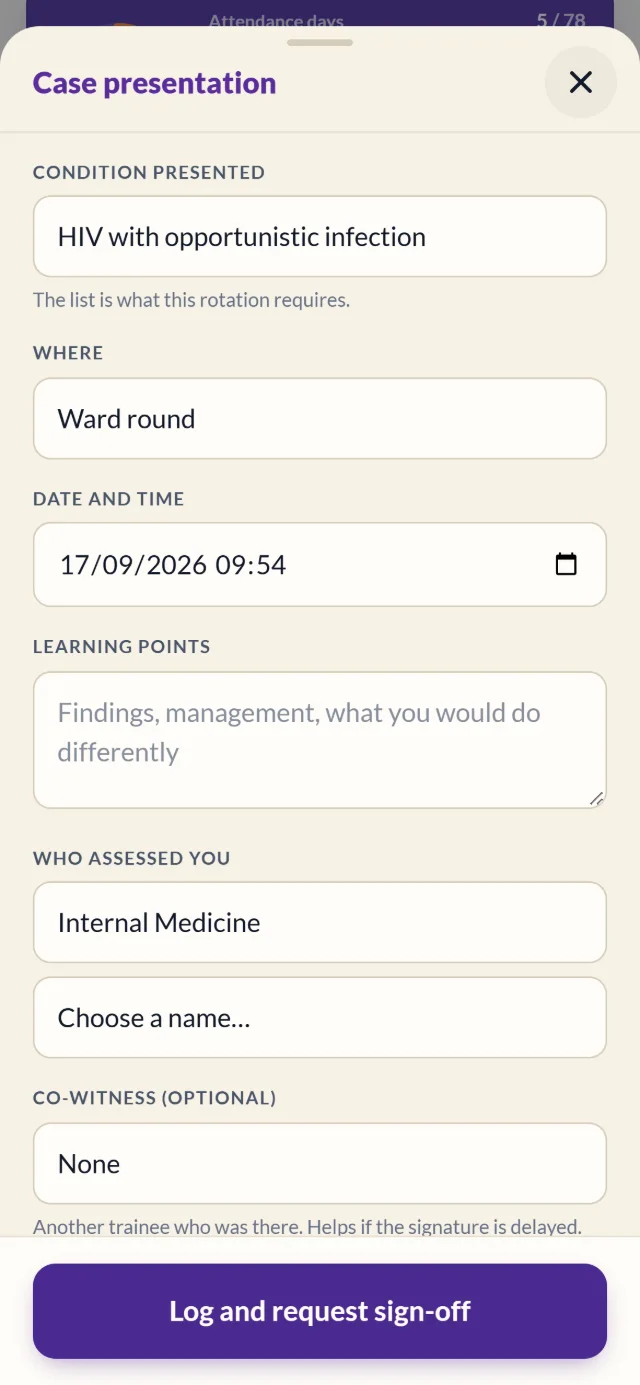
- Log cases, procedures, attendance, CMEs and reflections
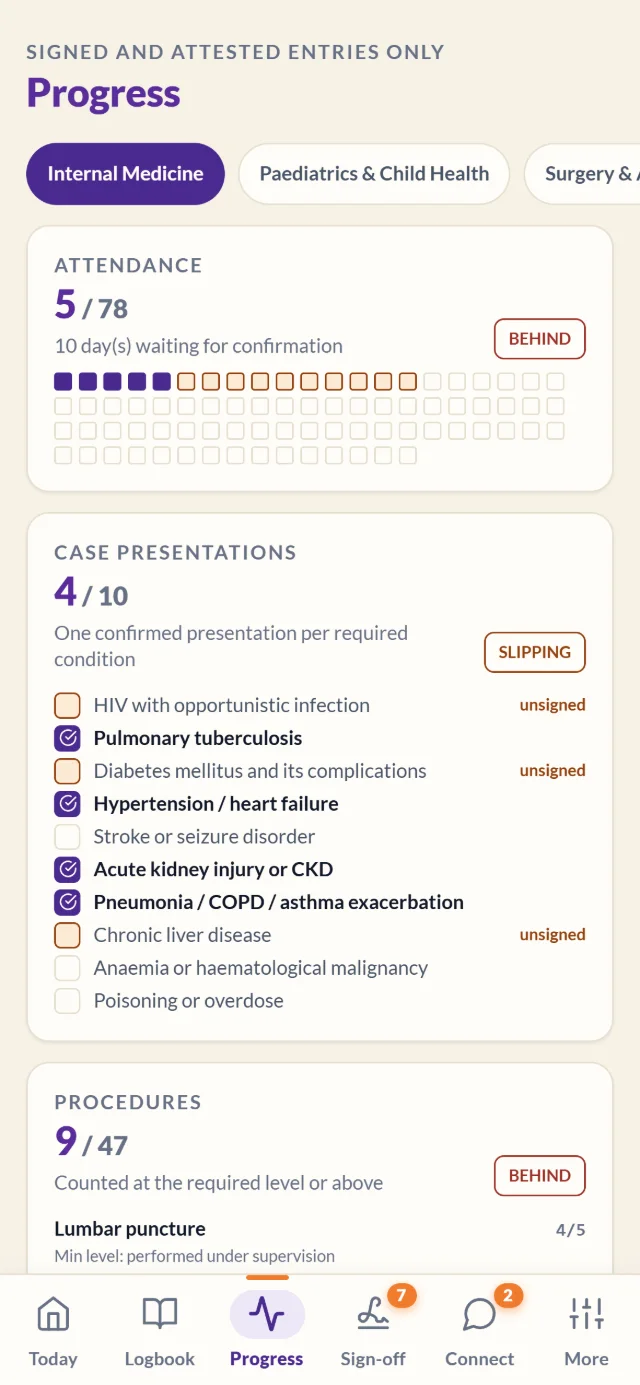
- See exactly what your rotation still needs
- Print a verifiable logbook at the end
Rotalog replaces the paper logbook for medical, nursing, clinical officer and allied health trainees. Log cases, procedures and attendance on your phone, get signed on the ward in seconds, and finish every rotation with a logbook anyone can verify.
A free 30-minute walkthrough on Google Meet. Works on any phone or computer, nothing to install.
Trainees, supervisors and coordinators each get the view they need, on the phone they already carry.
Keep your logbook up to date as you go, not the night before it's due.
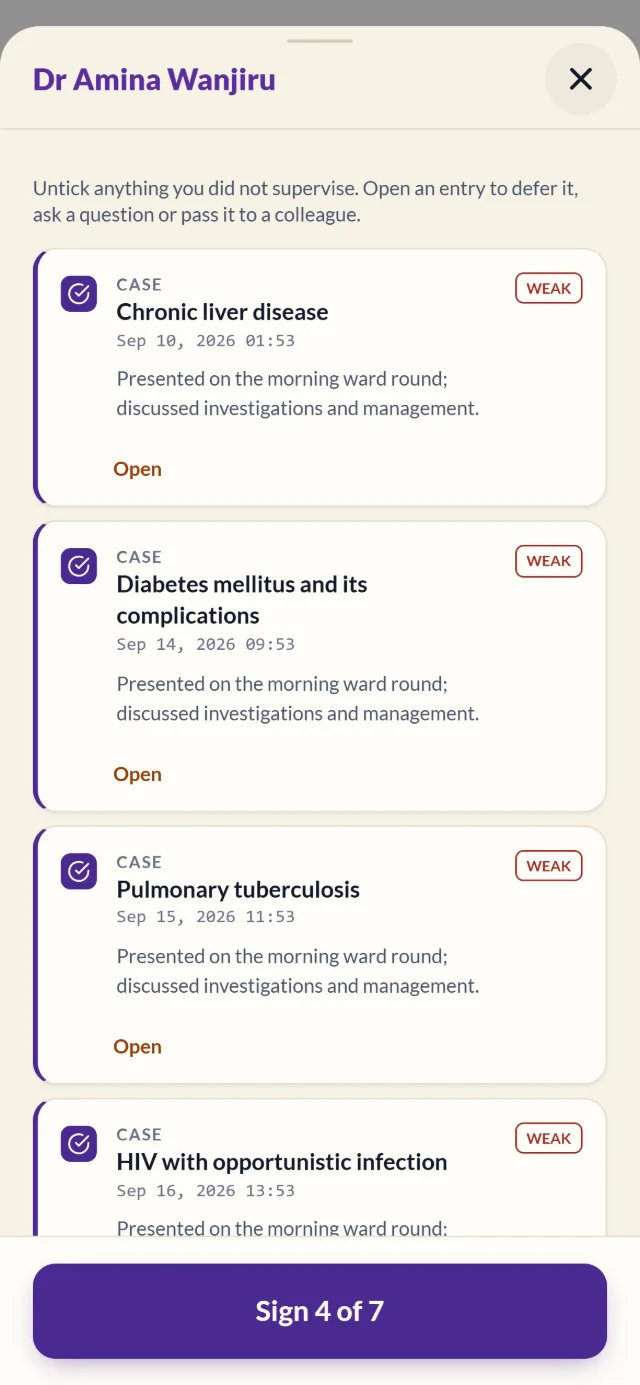
Sign what you saw, when you saw it, without a pile of paper at the end of the month.
Know who is on track long before the rotation ends.
For every programme with clinical placements
From the first ward round to the head of department's sign-off.
Rotalog is built around your programme's requirements for each department, so every entry counts toward the right requirement. Weekly attendance takes one tap per day.
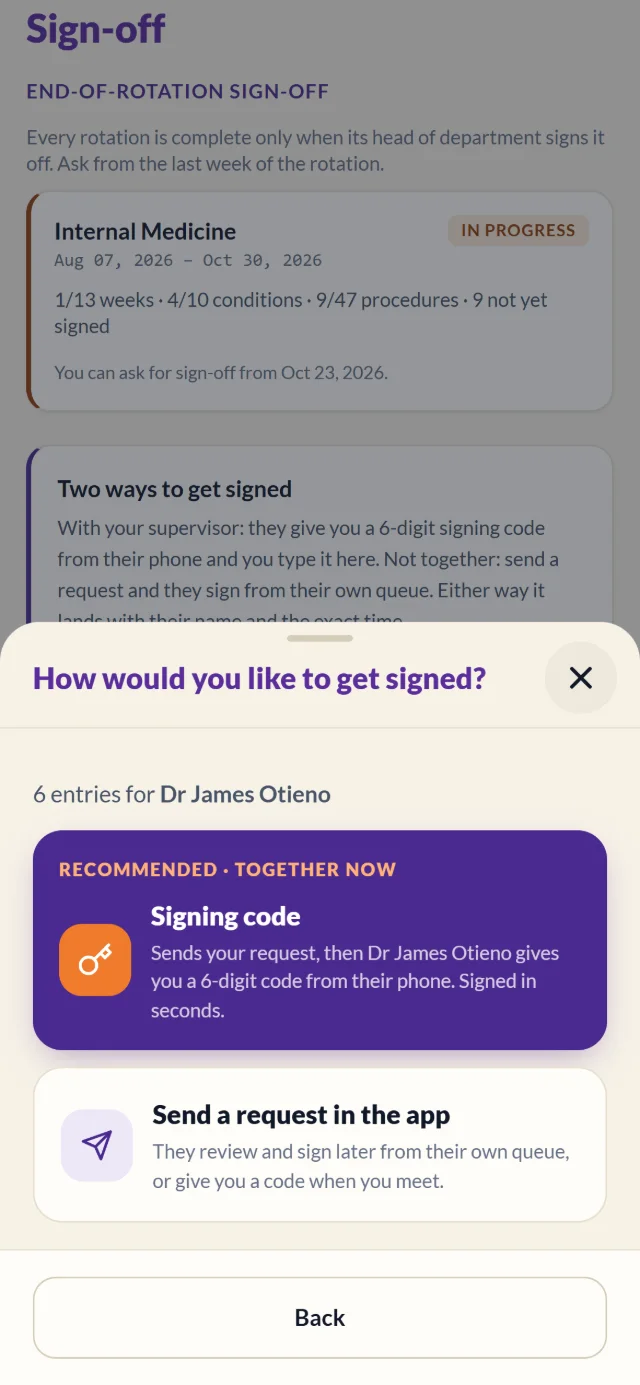
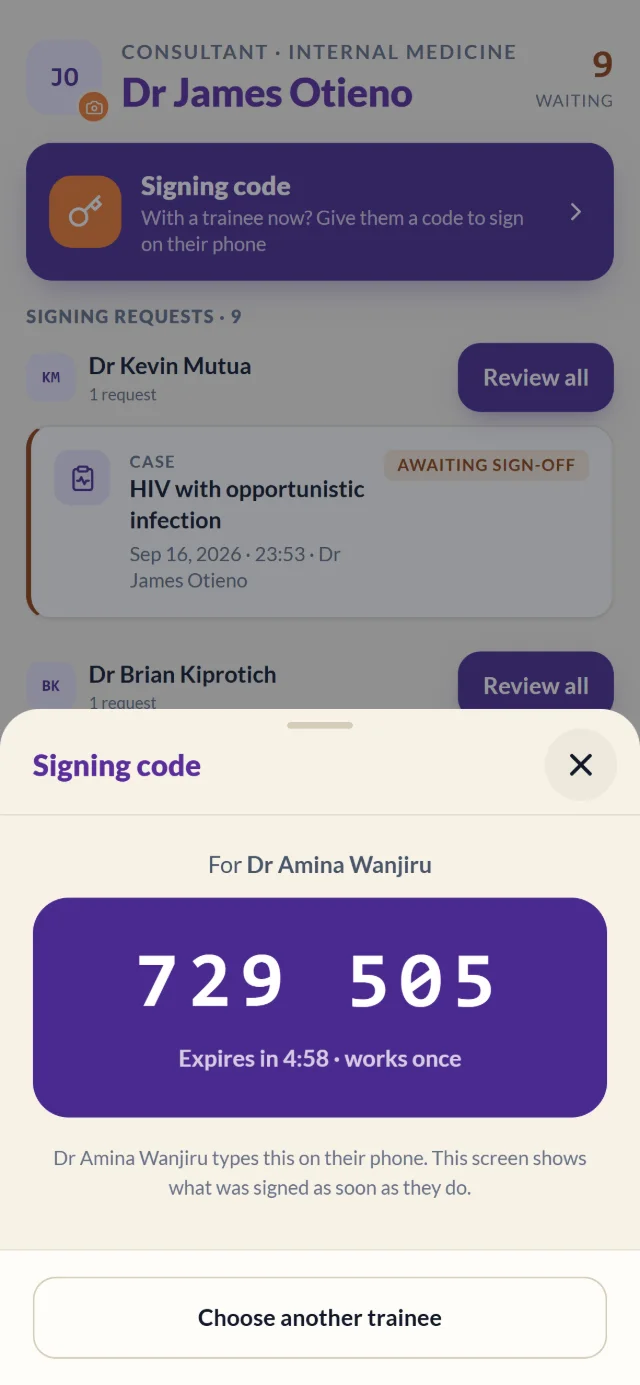
No chasing supervisors with a paper logbook. The supervisor taps the trainee's name and shows a 6-digit code that works once and expires in five minutes. The trainee types it in, and the entries are signed.
Not together? Send a request in the app and your supervisor signs from their own queue.
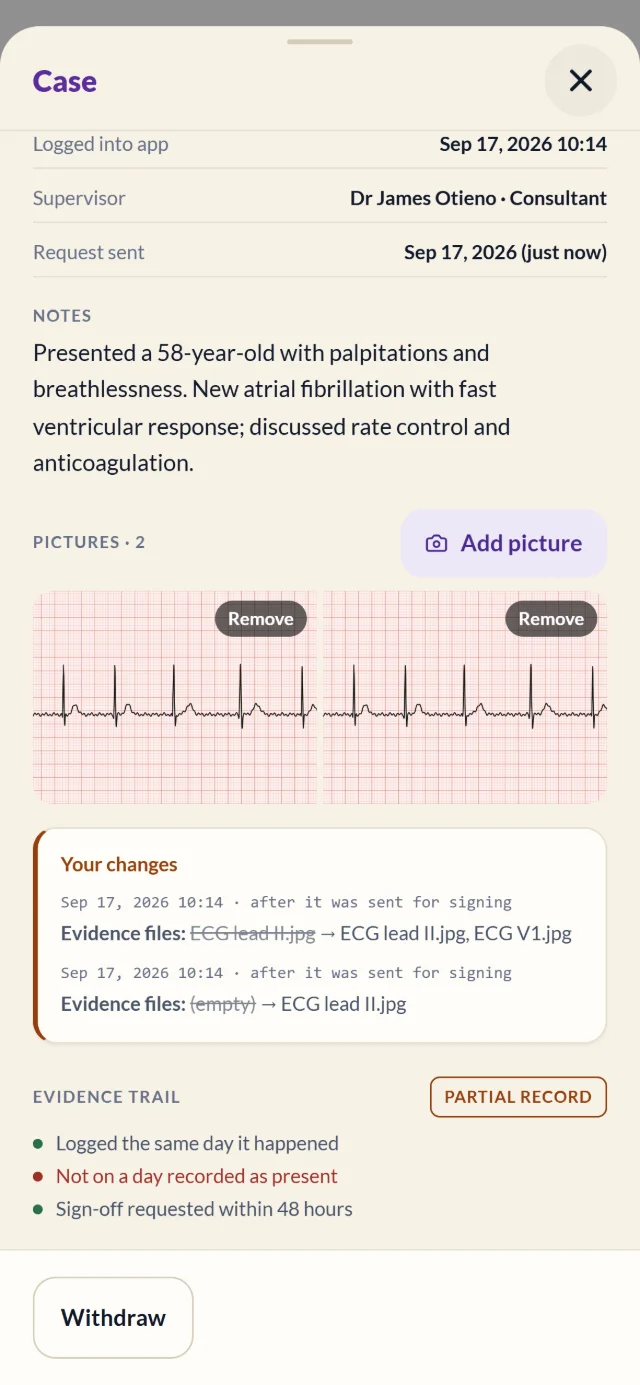
Attach pictures and slides to case presentations and CME sessions, so your supervisor signs exactly what you presented. Pictures are shrunk on the phone, and everyone is reminded to crop out names and numbers first.
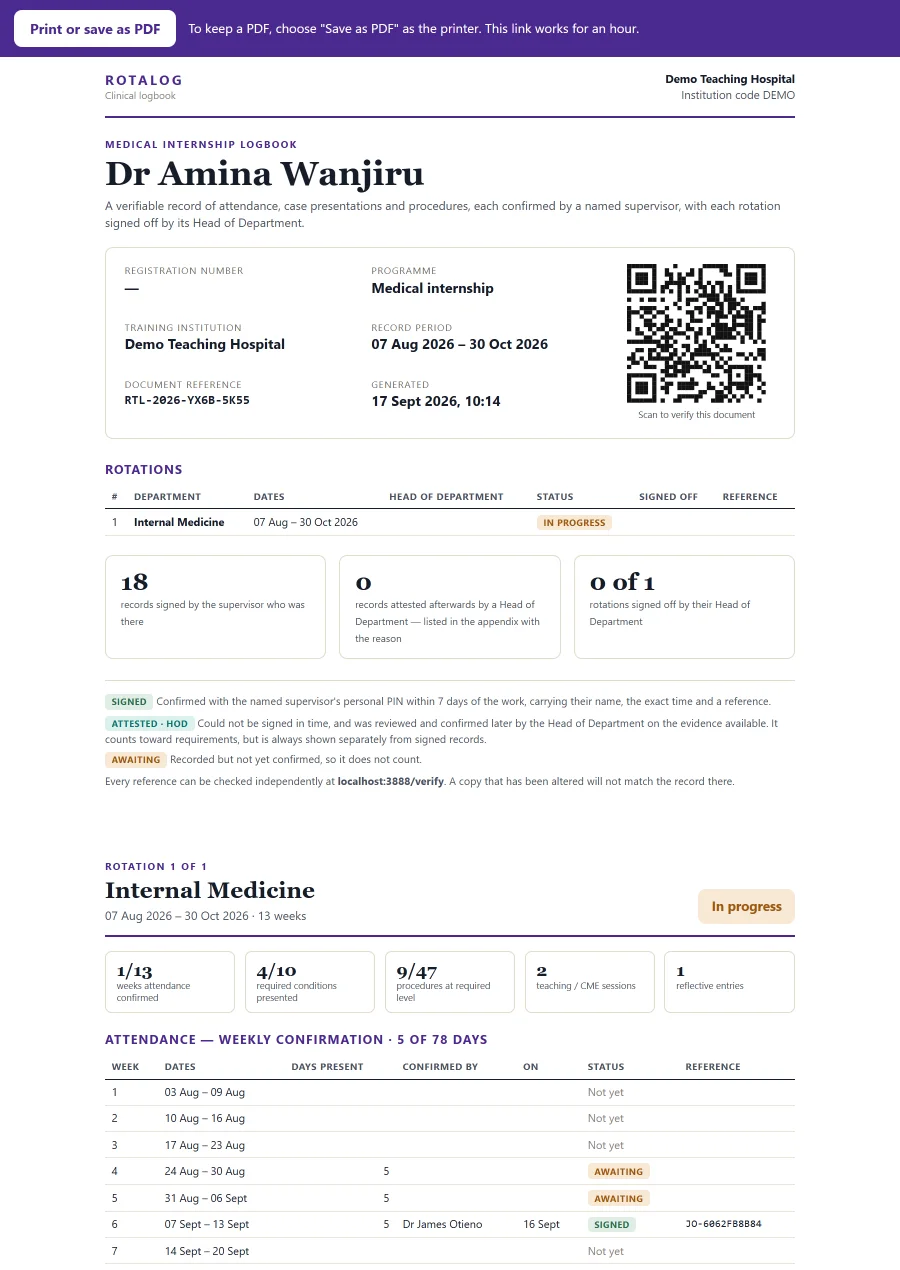
At the end of a rotation, print the whole logbook or save it as a PDF. Every signed entry lists the supervisor, the time and a unique reference, and a QR code lets a board, employer or examiner check that the document is genuine.
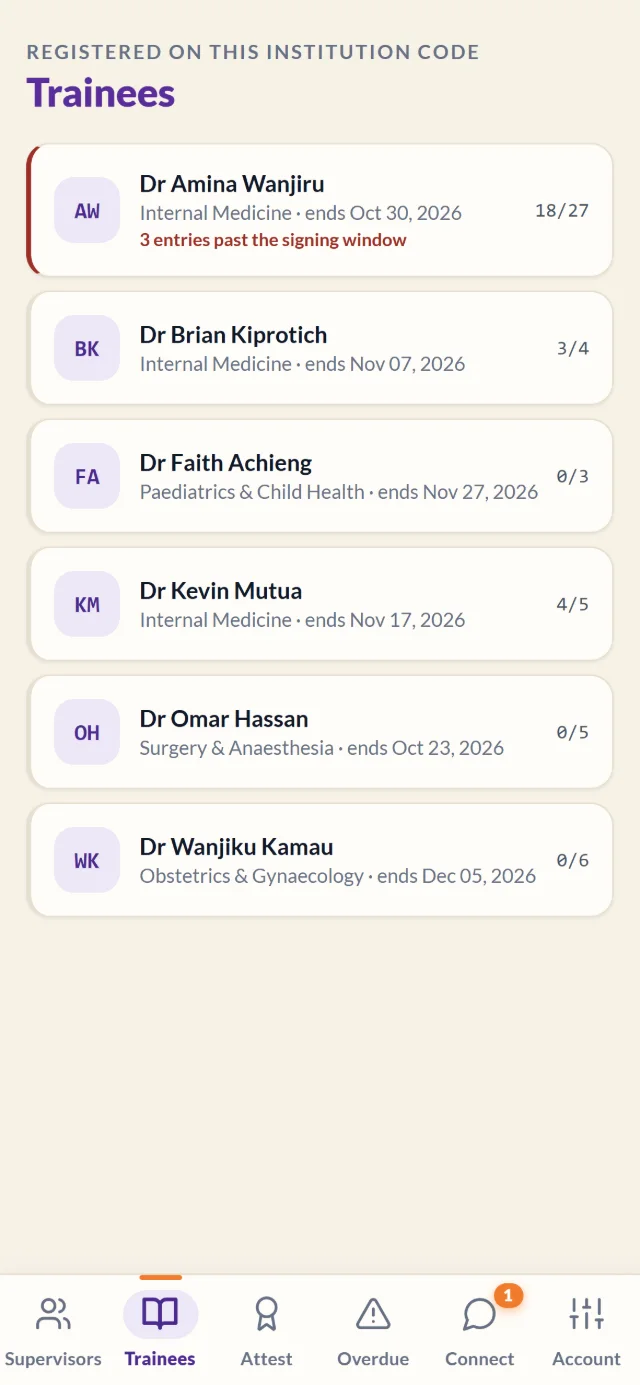
See who is behind, whose entries are waiting on a supervisor and what needs attesting. Supervisors see their signing requests grouped by trainee and can review a week at a time.
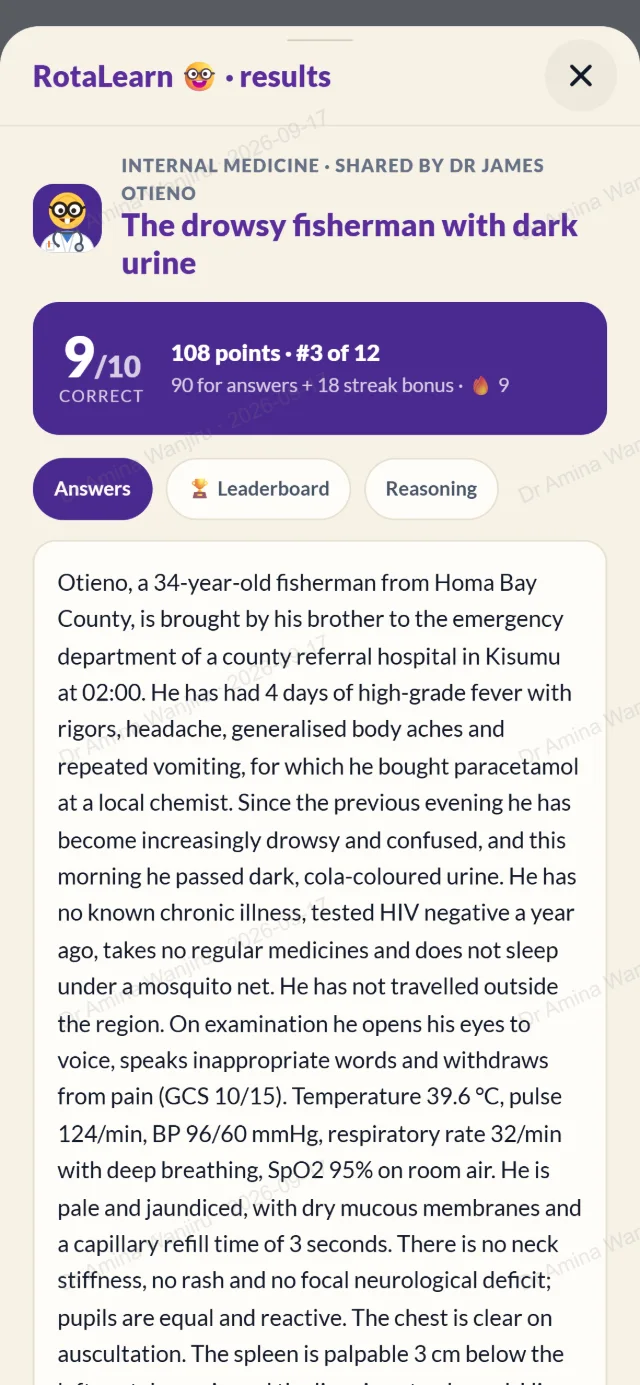
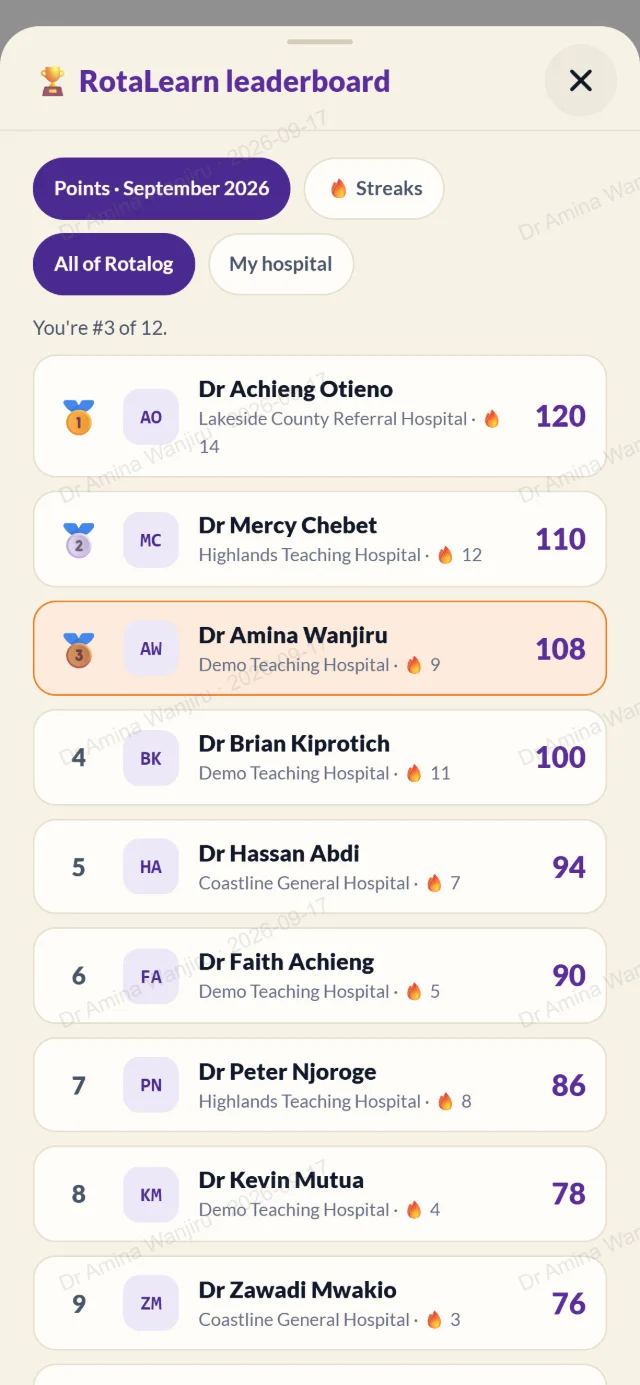
Every day at noon, RotaLearn posts a clinical case with ten questions, from basic science to management, grounded in local and international guidelines. Answers and the leaderboard are revealed the next day.
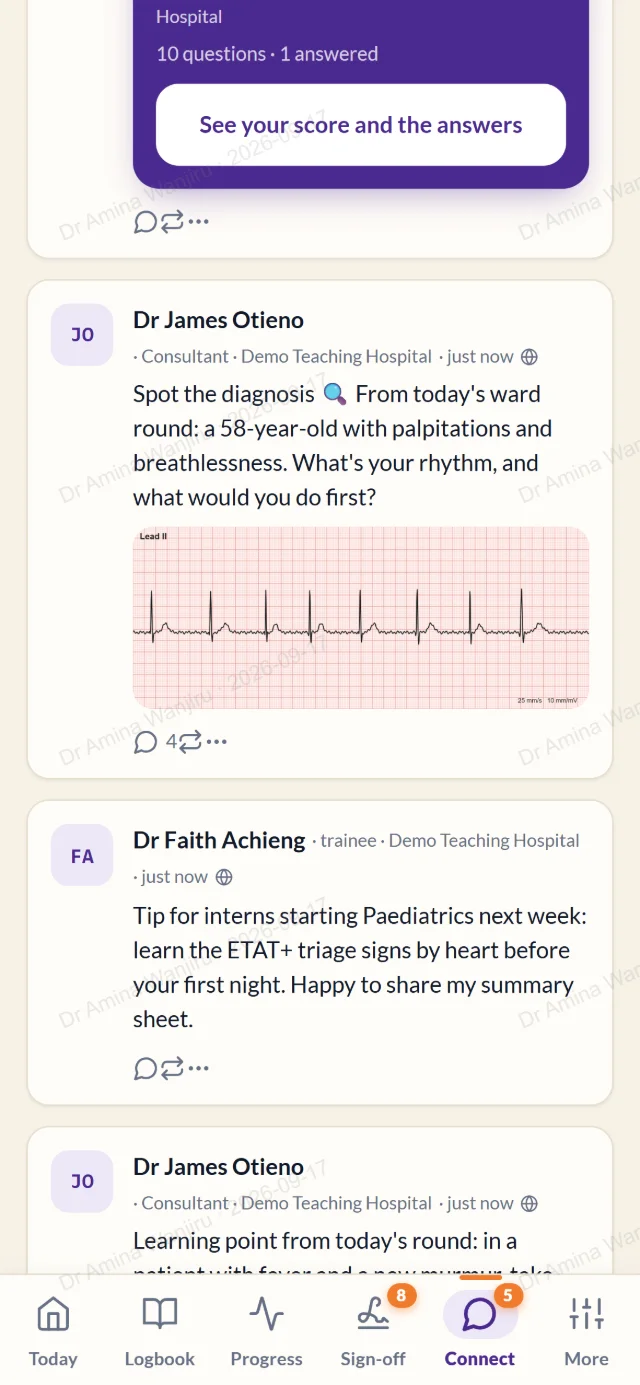
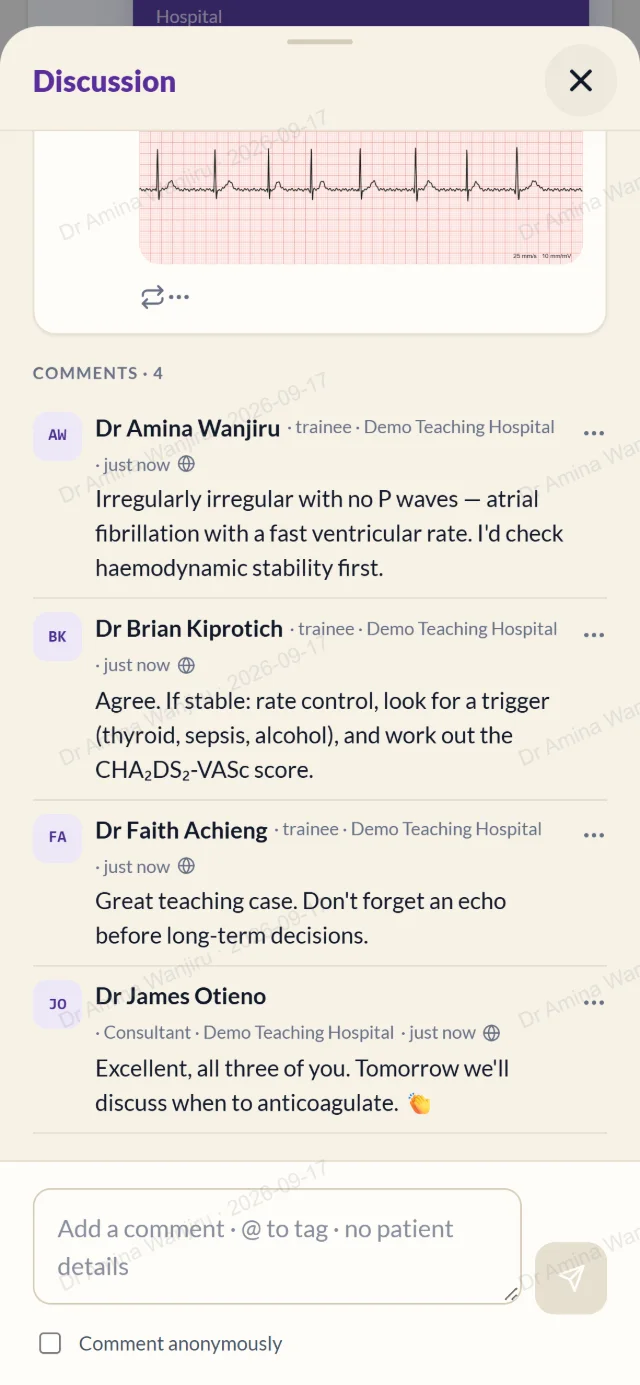
Share a learning point or a tricky ECG with colleagues at your hospital or across Rotalog, and learn from every reply. Message supervisors and colleagues directly, or discuss a specific logbook entry.
We create your institution and its departments, using your programme's curriculum or your own requirements.
Your coordinator uploads trainees and supervisors from a spreadsheet. Everyone gets a link to join.
Trainees log on their phones, supervisors sign on the ward, and coordinators follow progress as it happens.
A logbook is only worth something if people believe it.
Every signature records who signed, when and how, with a unique reference.
A QR code on every printed logbook shows whether it matches the record.
Patient identifiers are off by default, and posts with names or IP/OP numbers are refused.
Logbooks and private messages are only visible inside your own hospital.
We're onboarding the first institutions now. Book a 30-minute demo: we'll show you Rotalog with your own departments in mind, then set you up and walk your coordinators through it.
Rotalog is a digital clinical logbook for clinical training. Trainees log case presentations, procedures, weekly attendance, teaching and reflections on their phone; supervisors sign them; coordinators follow every trainee's progress; and the finished logbook can be printed with a QR code that anyone can scan to check it.
Students and interns in medicine, nursing and midwifery, clinical medicine (clinical officers) and allied health programmes such as radiography, physiotherapy, pharmacy and laboratory science; their supervisors and clinical instructors; heads of department; and the coordinators or department secretaries who run training at a hospital or medical school.
Two ways. On the ward, the supervisor opens Rotalog and shows a 6-digit signing code that works once and expires in five minutes; the trainee types it in. Or the trainee sends a request in the app and the supervisor reviews and signs later from their own phone.
No. Rotalog runs in the browser on any Android phone, iPhone or computer, and can be added to the home screen like an app.
Rotalog is designed to record training, not patients. Patient identifiers are off by default, posts that look like they contain a patient's name, phone number or IP/OP number are refused, and people are asked to crop names and numbers out of pictures before sharing.
Book a demo or email mohamed@rotalog.app. We set up your institution, and your coordinator uploads the list of trainees and supervisors from a spreadsheet so everyone can join with a link.